
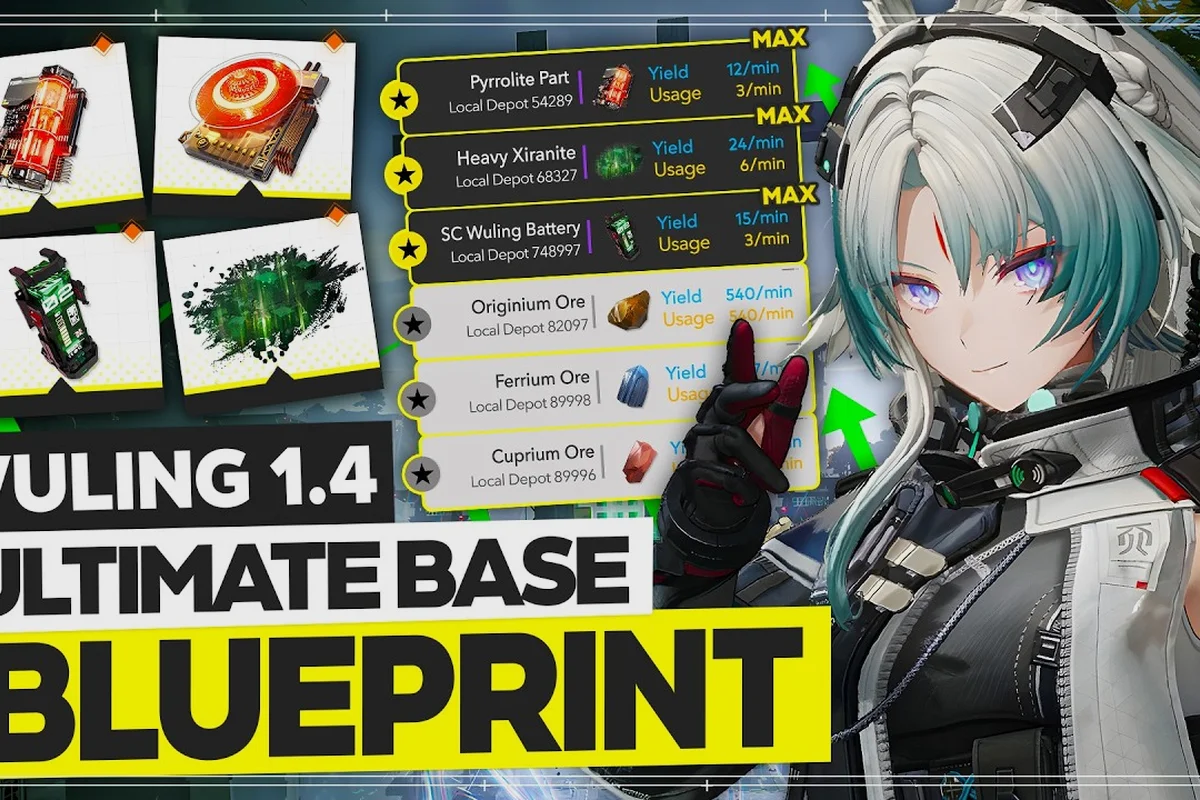
Factory lines in Arknights: Endfield fall apart in surprisingly small ways — a single stalled conveyor, a missing relay, or a half-built blueprint can quietly strangle an entire Automated Industry Complex (AIC) shift. Most of these Arknights: Endfield factory troubleshooting headaches share the same handful of root causes, and the fixes rarely require rebuilding from scratch. This guide covers the five issues that come up most often in Wuling and Valiant territory, from material transfers that refuse to flow to the farming tools quest that gates early plot unlocks.
Material Transfer Stalls and Conveyor Bottlenecks
A material transfer that refuses to move is almost always a throughput mismatch, not a wiring error. When a processing block consumes items faster than its feeder can deliver them, the output appears jammed because the input is actually empty. The fix is widening the feeder belt or dropping a buffer depot between stages, not adding more processors. According to community data from the AIC layout discussions on Game8's Endfield page on Tier List, clogged facilities are nearly always traced back to a ratio problem rather than a broken connection.
The most common symptom is a full processing block with an empty input belt. Players often assume the machine is broken and start dismantling downstream stages, but the real problem sits two or three steps earlier in the line. A single-belt feeder feeding a two-output processor will starve within seconds, and the visual cue is misleading: the processor looks busy, the output bins fill, and the input belt never catches up. Replacing that single belt with a double-wide run or inserting a small buffer chest immediately upstream restores flow.
Identifying Starvation vs. Overflow
The fastest diagnostic is reading the items-per-minute (IPM) readout on each machine. A starved processor shows an input IPM well below its rated capacity, while an overflow shows the opposite — a full belt feeding a machine whose output IPM is throttled because the next consumer is offline. Both states look identical to a casual observer, which is why throughput readouts matter.
| Symptom | Likely Cause | First Fix |
|---|---|---|
| Empty input belt, full output | Upstream feeder too narrow | Widen the belt or add parallel feed |
| Full input belt, empty output | Downstream consumer offline | Activate the next machine in the chain |
| Machine shows "idle" with items nearby | Missing power relay nearby | Add a relay or reroute the power grid |
| Output bin full, line frozen | No output destination wired | Connect an output conveyor to a depot or shipping pad |
The Wuling region in particular has tight space constraints that push players into single-belt runs, which then struggle as soon as a second ore node comes online. For deeper coverage of layout patterns that avoid these pinches, the AIC factory layout and blueprint archive walks through production-bus designs that scale without choking.
Power Grid Failures and Brownout Cascades
Power is the hard ceiling on every AIC. Every conveyor, processor, and mining rig draws from one shared grid budget, and exceeding it trips facilities offline instead of merely slowing them. The fix is expanding generation capacity before adding consumers, keeping cable runs short to avoid excessive transmission load, and isolating high-draw processing blocks onto their own relay so a spike in one region does not brown out the entire base. Community reports describe the moment of brownout as a "domino wave" — one high-draw machine triggers, the relay pops, and adjacent low-priority machines drop with it.
A common mistake is routing power cables diagonally across the entire base to "share" capacity. In practice, long cable runs degrade the effective wattage reaching distant machines, and the relay at the far end has nothing left to give. The cleaner approach is a relay-per-district layout: one relay feeds the smelting district, another feeds the assembly district, and a third handles shipping. That way, a heavy processing spike in smelting only drops smelting, and the rest of the base keeps running.
Relay Sizing Quick Reference
| Base Tier | Recommended Relays | Min Generators | Heavy-Draw Zones |
|---|---|---|---|
| Early (1-10 operators) | 2 | 1 standard | Smelting only |
| Mid (10-20 operators) | 3-4 | 2 standard + 1 advanced | Smelting + batteries |
| Late (20+ operators) | 5+ | 3 advanced | Smelting + assembly + ammo |
The relay table above is based on community data from mid-game Wuling setups, but exact thresholds shift with patches. Players running multiple assembly lines often need a dedicated relay per line, which is why the AIC automation guide recommends mapping the power grid before placing any new machines. Treating power as a layout layer from the start prevents the cascading-failure pattern entirely.
Wuling Blueprint Issues and Build Errors
Wuling-region blueprints are where factory troubleshooting gets reputationally painful, because a misplaced tile in Wuling's rocky terrain can block the entire production spine. The most frequent Arknights: Endfield Wuling blueprint complaint is a "blueprint rejected" error that players cannot trace to a specific machine, usually because a connector piece is overlapping a terrain lip or a resource node that does not visually appear in the build preview. The build mode hides interactive nodes when zoomed out, which causes connectors to silently overlap them and fail validation.
Another recurring Wuling issue is the rotation lock on certain machines. Some processors can only be placed facing cardinal directions, and a blueprint that places them diagonally will refuse to load, even though the in-game editor shows the tile as valid. Players waste hours trying to nudge the offending tile when the real fix is rotating the entire blueprint by 90 degrees and re-anchoring it on a flat surface.
Common Wuling Build Errors
| Error Message | Real Cause | Fast Resolution |
|---|---|---|
| Blueprint rejected (no detail) | Connector overlaps hidden node | Zoom in fully, check each connector endpoint |
| Tile unplaceable during load | Rotation mismatch | Rotate blueprint 90 degrees and reanchor |
| Machine appears, no power | Relay too far | Move relay within 8 tiles, or add a second one |
| Belt runs but no items move | No path back to depot | Add return conveyor to shipping zone |
The Arknights: Endfield Wuling factory community has converged on a "blueprint sandbox" practice: test any new layout in the editor with all terrain layers visible before committing. The official Arknights: Endfield base design tools and community-planner sites both support this, and skipping the sandbox step is the single biggest reason Wuling factories end up half-built and abandoned. For a wider set of layout templates that handle terrain quirks, the base blueprints collection includes terrain-tested designs for both Wuling and Valiant regions.
Farming Plots, Tools Quest, and Unlock Order
Farming plots are the part of Arknights: Endfield factory troubleshooting that intersects with quest progression, because the Arknights: Endfield farming plots themselves unlock only after a specific tools-gated quest chain resolves. The Arknights: Endfield farming tools quest requires collecting a set of starter implements from the Wuling region, then returning them to the AIC overseer to certify the base. Skipping the quest chain or completing it out of order leaves the farming plots flagged as "unavailable" even when the base is otherwise fully powered.
The actual unlock sequence is straightforward once you know it. Players who try to fast-track by placing farming tiles before the quest triggers see the "unavailable" state and assume the plot is bugged, when really the gating quest has not been accepted yet. The fix is opening the quest log, locating the tools quest, accepting it, and completing the three collection sub-objectives in order.
Farming Plot Unlock Checklist
| Step | Location | Item | Common Mistake |
|---|---|---|---|
| 1 | Wuling Outskirts | Tilling Hoe | Confusing with combat hoe skin |
| 2 | Wuling Quarry | Seed Satchel | Picking up wrong satchel variant |
| 3 | Wuling Valley | Irrigation Can | Missing the cave entrance |
| 4 | Return to AIC | Hand in all three | Handing in before collecting all three |
Step 4 is the one that traps most players, because the overseer accepts each item individually, and handing in a partial set triggers a "come back later" dialog that some players misread as a quest failure. The quest is not failed; it just has not been completed yet. Returning with the full set finishes the chain and the farming plots light up on the same load.
Once farming plots are active, the same throughput logic that governs the rest of the factory applies. Crops mature on timers, harvesters draw power, and output belts need destinations. Treating the farm as just another production block, instead of a special menu screen, prevents the second wave of confusion that hits once plots start running. Players new to the wider progression loop can get oriented with the chapter and quest order overview to see where farming fits in the broader Endfield arc.
Wuling-Specific Terrain and Layout Fixes
The Arknights: Endfield Wuling factory experience is dominated by elevation, and most Arknights: Endfield Wuling blueprint failures trace back to a tile that "looks flat" in build mode but is actually a one-step slope. Conveyors refuse to traverse slopes, and processors placed on slopes lose half their throughput. The community workaround is to flatten a staging pad with terrain tools before laying down the production spine, which converts the slope into a buildable plateau and lets the rest of the layout proceed normally.
Wuling also has narrow valleys where the only flat ground is a thin strip between two cliff faces. The temptation is to stretch the line horizontally along that strip, but that creates a single point of failure: one destroyed machine blocks the entire run. A better pattern is a compact U-shape that doubles back on itself, trading horizontal length for vertical density and giving the line two redundant paths around any single broken tile.
Wuling Layout Pattern Comparison
| Pattern | Strengths | Weaknesses | Best For |
|---|---|---|---|
| Linear strip | Easy to read | Single point of failure | Early tutorial base |
| U-shape (compact) | Redundant paths | Harder to extend | Mid-game Wuling |
| Stacked tiers | High density | Power draw spikes | Late-game Wuling |
| Hub-and-spoke | Modular | Lots of conveyors | Multi-ore setups |
Hub-and-spoke is the pattern most late-game players settle on, because it lets each ore node feed a dedicated spoke without competing for belt space. The downside is conveyor count, which jumps fast and stresses the power grid. Sizing the grid up before committing to hub-and-spoke avoids the brownout cascade covered earlier. For a broader walkthrough of the AIC system itself, the AIC factory overview archive covers the production backbone and how it ties into character progression.
Factory Troubleshooting Playbook
When an Arknights: Endfield factory troubleshooting session drags past a few minutes, the fastest path back to a working line is a structured diagnostic pass rather than random tinkering. The community has settled on a four-step playbook that resolves the majority of factory issues without dismantling anything. The key is running the steps in order and not skipping ahead, because most "mystery" bugs turn out to be power or pathing issues that the first two steps catch.
The Four-Step Diagnostic Pass
-
Read the power grid — open the power overlay, check every relay, confirm wattage matches the draw of everything downstream.
-
Read the throughput readouts — every machine shows input and output IPM. Starvation and overflow both surface here.
-
Walk the path — follow each conveyor from source to destination, checking for broken links, missing splitters, or terrain overlaps.
-
Check the quest and unlock state — confirm every building block is actually unlocked, especially farming plots, advanced processors, and shipping pads.
Step 4 is the one that gets skipped most often, because it requires opening a different menu. Players who run the first three steps and find nothing wrong almost always have a quest-gated block in the chain. The unlock state is shown in the AIC overview screen but is easy to miss if you are focused on the layout itself.
Issue Frequency by Region
| Region | Top Reported Issue | Frequency (player reports) | Typical Fix Time |
|---|---|---|---|
| Wuling | Blueprint terrain overlap | High | 10-20 minutes |
| Valiant | Power grid cascade | Medium | 15-30 minutes |
| Early Hub | Quest-gated plots | High (new players) | 5 minutes |
| Late-game | Throughput starvation | Medium | 20-45 minutes |
The frequency column is based on aggregated community reports and is meant as a rough guide, not a precise metric. Players who learn to recognize the top issue per region save significant time, because they skip the trial-and-error phase and go straight to the most likely cause. For a deeper treatment of region-specific factory planning, the general factory guide covers early-to-mid-game progression and pairs well with this troubleshooting playbook.
Frequently Asked Questions
Why is my Arknights: Endfield factory not producing anything even with power on?
The most common cause is a quest-gated block that has not been unlocked yet, particularly farming plots or advanced processors. Open the AIC overview screen and check the unlock state of every building in the line. According to community data, this resolves the majority of "factory looks fine but does nothing" reports within a few minutes.
How do I transfer material between AIC districts in Arknights: Endfield?
Use a shipping pad and a receiving depot, connected by a dedicated long-range conveyor. Local belts handle within-district transfers, but cross-district runs require a shipping pad because the standard conveyor range is too short to span a full Wuling or Valiant base. The shipping pad pairs with a freight route that you schedule in the logistics menu.
Where do I find the Arknights: Endfield farming tools quest starter?
The quest is given by the AIC overseer in the Wuling region once your base reaches Tier 2. The starter dialog is easy to miss because it appears as a side comment during the main tier-up cutscene. If you have already tiered up without picking it up, fast-travel back to the Wuling overseer and check the conversation log; the quest is usually waiting in the "available" state.
Can a Wuling blueprint from another player be loaded directly into my base?
Yes, if your base tier and unlock state match the blueprint's requirements. Mismatched tiers cause the load to fail silently, which most players interpret as a bug. The fix is checking the blueprint's required tier and either upgrading your base or finding a blueprint designed for your current tier. Community-shared codes are filtered through the same tier check automatically.
What should I do first when an entire factory district goes dark?
Check the nearest relay first, because a tripped relay is the most common cause of a district-wide brownout. Reset the relay, then watch the power overlay for a few seconds to confirm wattage is stable. If the relay trips again immediately, a high-draw machine is spiking on startup and needs to be isolated on its own relay before the rest of the district can come back online.