
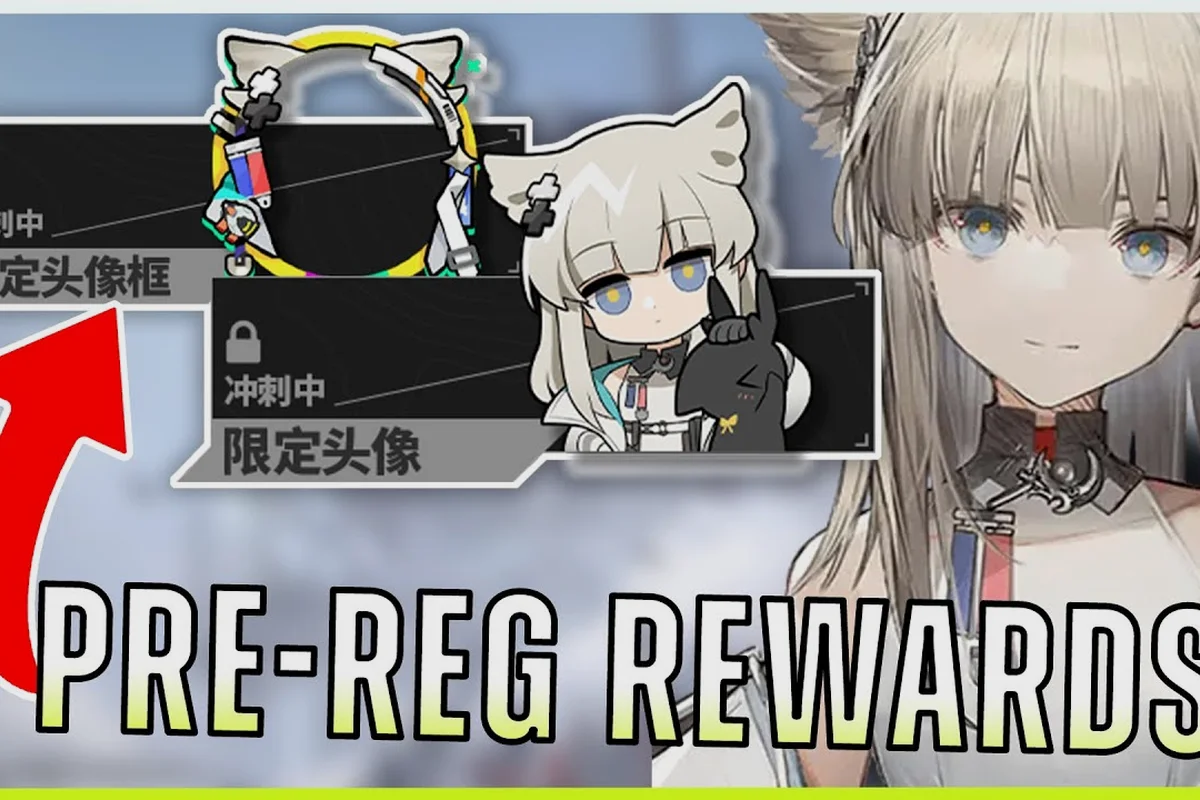
The Arknights: Endfield pre-registration rewards haul lands directly in your in-game mailbox the moment you boot the client for the first time, and the total value rivals what most gachas give out after a full week of dailies. Every player who signed up through the official site, the Discord, or the newsletter auto-receives Oroberyl, T-Creds, a free six-star selector, and several smaller bundles the moment they link their account. Below is a full breakdown of every milestone tier, every claim method, and the fastest way to turn those free pulls into your first meta squad. Before you start chasing those milestones, redeem every active Arknights Endfield free code from our updated list so the bonus pulls and resources don't go to waste. Before you start chasing those milestones, grab the latest batch of rewards from our Arknights Endfield free codes so the bonus pulls and resources don't go to waste.
What the Arknights: Endfield Pre-Registration Campaign Included
The launch campaign was built around a tiered milestone system that unlocked additional rewards as global sign-up totals climbed. Each tier was a permanent addition to the rewards pool, meaning even players who signed up on day one and players who registered on the final day received the same final bundle. The campaign ran on the official Arknights: Endfield site and was tallied against a global counter, with milestone thresholds published in advance so the community could track progress in real time.
Every reward from the campaign is mail-delivered, not code-entered, which removes the expiration pressure that usually hits gacha launch windows. According to the the official Endfield site (Indonesian), the milestone gifts were distributed in batch waves during the launch window, and any account that pre-registered before the cutoff was eligible regardless of when they actually logged in for the first time.
Milestone Tier Breakdown
The pre-registration milestones were structured so that smaller, immediately useful items were unlocked first, while the headline six-star selector sat at the final cap. This ordering was deliberate: it let casual signups still feel rewarded even if the campaign stopped climbing early, while giving whales and dedicated community members a long-tail target to rally around.
| Milestone | Sign-Up Target | Reward | Type |
|---|---|---|---|
| Tier 1 | 500K | 1× Headhunting Permit | Gacha currency |
| Tier 2 | 1M | 5× T-Cred Pack | Upgrade currency |
| Tier 3 | 2M | 1× Arms Inspection Kit | Gear crafting |
| Tier 4 | 3M | 5× Stamina Battery | Farm resource |
| Tier 5 | 5M | 10× Headhunting Permit | Gacha currency |
| Tier 6 | 7M | Free 6-Star Selector | Character unlock |
| Tier 7 | 10M | 20× Headhunting Permit + Cosmetics | Gacha currency + profile items |
All seven tiers were reached before the campaign closed, so the selector and the final 20-pull bundle are part of the standard haul that every pre-registered account inherits. Community reports from the launch window put the final global sign-up count well past the 10M mark, which means no tier was left on the table.
What Each Reward Actually Does
The pull currency, mail-in Oroberyl, and T-Creds are the three pillars most players care about, and each one feeds a different progression loop. The free 6-star selector is the single most valuable piece in the haul because it bypasses the gacha entirely.
-
Headhunting Permits: Direct Headhunting banner currency, equivalent to one pull each
-
T-Creds: Used for operator and weapon upgrades, the long-term resource sink
-
Arms Inspection Kit: Materials for weapon and gear crafting at the workbench
-
Stamina Battery: Refills your operations stamina for resource farming stages
-
6-Star Selector: A menu item that lets you pick any standard 6-star from the launch roster
Claiming Rewards In-Game After Launch
The reward mail is delivered to every eligible account the first time the client talks to the server, so there is no code to type, no button to press, and no order of operations beyond simply opening the game. Once you log in, the system automatically deposits the full bundle into your mailbox, and the gear and currency items show up in your inventory the moment you tap "Claim All."
Players who registered on multiple platforms (for example, the official site and the Discord) do not stack rewards. The system reads a single UID against the pre-reg database, and the first eligible registration claim locks the account. Trying to claim twice will either show a duplicate error or quietly ignore the second attempt, so there is no exploit to chase there.
Step-by-Step Claim Flow
The actual claim flow on launch day was a clean three-tap process, and the same flow still works for any player logging in fresh on a new version cycle. The mail items are persistent across patches, so even if you took a break after launch, your pre-registration rewards are still waiting for you the first time you open the mailbox.
-
Log into Arknights: Endfield with the account that completed pre-registration
-
Open the in-game Mailbox from the main menu
-
Tap "Claim All" on the pre-registration batch
-
Verify Oroberyl, T-Creds, and the selector appear in your inventory
-
Use the selector menu under "Recruitment" to pick your 6-star
The selector step is the one that catches most players off guard. The free 6-star character choice is delivered as a special item, not a direct roster addition, and you have to open it through the Recruitment menu before the character actually joins your squad. Skipping this step is a common mistake, and the item sits in your inventory forever until you spend it.
Pre-Registration vs Promo Codes: What's the Difference
Pre-registration rewards and promo codes are two different reward systems that often get confused at launch, because both use the word "free" and both are tied to the marketing window. The pre-reg haul is permanent, mail-delivered, and locked to your UID at signup. Promo codes are time-limited, manually entered, and tied to specific events or livestreams. They are complementary, not interchangeable, and stacking both is the only way to maximize the launch value of your account.
The Arknights: Endfield promo codes system runs through the standard redemption menu and refreshes with almost every major livestream and version update, so a player who logs in weekly and watches the official broadcast can pull in several thousand Oroberyl on top of the pre-registration baseline. The launch window alone shipped four separate promo codes, each worth roughly 300 Oroberyl plus a small bundle of consumables.
Reward System Comparison
| System | Trigger | Delivery | Expiration | Stackable |
|---|---|---|---|---|
| Pre-Registration | Signup before cutoff | Mail, auto-claim | None (permanent) | No (UID-locked) |
| Promo Codes | Code entry | Mail after redeem | Per-code, often 30 days | Yes, per code |
| Discord Codes | Server milestones | Mail after redeem | Per-event | Yes |
| Twitter/X Codes | Social drops | Mail after redeem | 24-72 hours | Yes |
| Newsletter Code | Email signup | Mail after redeem | Per-campaign | Yes |
The major practical difference is expiration. Pre-registration rewards never expire because they are tied to your UID at the database level, while every other system in that table runs on a hard timer. This is why launch-window players should always redeem promo codes first and leave the pre-reg mail for the moment they have time to sit down and decide which six-star to pick.
Who Is Eligible and How to Check
Eligibility is determined at the database level: if your UID is in the pre-registration table, you get the bundle. If it is not, the mail never appears, and there is no retroactive signup option. The campaign closed on the day of launch, and the database was frozen shortly after, so players who try to register now are not added to the eligible list and should not expect the pre-reg mail to show up.
For players who are unsure whether their signup was recorded, the cleanest way to verify is to log in and check the mailbox. If the pre-reg batch is not visible, it usually means the signup was not finalized (for example, the email confirmation was never clicked) or the account being used is different from the one that registered. Switching to the correct UID will surface the rewards immediately.
Eligibility Checklist
| Check | What to Look For | Fix If Missing |
|---|---|---|
| Confirmation email | "Pre-registration confirmed" subject | Re-register and confirm before cutoff |
| Account UID match | Same UID as signup | Log in with original account |
| Mailbox inbox | "Pre-Registration Rewards" batch | Wait 24h after first login |
| Selector item | "6-Star Selector" in inventory | Use via Recruitment menu |
| Inventory counts | Oroberyl and T-Creds present | Re-claim from mail |
If the mail batch is present but the selector item is missing, that is a different problem: the selector is a separate inventory slot, and you have to open the Recruitment menu and select it manually before the character joins your roster. The same applies to any cosmetic rewards from Tier 7, which sit in the profile item menu rather than the operator menu.
Maximizing the Free 6-Star Selector
The free 6-star selector is the headline reward of the entire pre-registration campaign because it bypasses the gacha entirely and lets you pick a launch operator with guaranteed value. The selector covers the standard 6-star roster, which means it excludes any limited or collaboration operators that have since been added to the game, but every meta-defining launch unit is on the menu.
Community testing in the launch window showed that the strongest selector choices were operators with universal team synergy, because those picks remain useful across multiple patches even as the meta shifts. The worst picks were niche operators whose value depended on a specific team comp or a specific content mode, because those units aged out fastest as the game moved into its second and third version cycles.
Selector Tier Guidance
| Pick Style | Example Operators | Best For | Long-Term Value |
|---|---|---|---|
| Universal DPS | Top-tier damage carries | New accounts | High |
| Support/Healer | Top-tier buffers | Story progression | High |
| Niche Synergy | Combo-dependent units | Existing rosters | Medium |
| Cosmetic Flex | Favorite character | Personal preference | Subjective |
For most launch players, the strongest universal pick was a top-tier damage carry, because the selector also serves as a safety net: it guarantees you at least one operator capable of clearing the hardest launch content even if your gacha pulls go poorly. Players with deep rosters already could afford to pick for personal preference, but the campaign was clearly designed to give fresh accounts a viable starter, and the operator choices that preserved that viability were the safest long-term plays.
Common Mistakes to Avoid
Most launch players claimed the pre-registration haul without issues, but a few patterns showed up repeatedly in community reports during the first version cycle. Skipping the selector, missing the mail batch, and trying to claim on the wrong account were the three biggest problems, and all three are easy to avoid if you know to look for them.
The selector is the single most valuable item in the entire pre-registration bundle, and the most common mistake is leaving it unspent. The selector sits in your inventory forever if you do not use it, and it does not expire, but it also does not auto-apply, so a player who forgets about it effectively wastes the single biggest reward from the entire campaign. Spending it within the first week of play is the strongest move because the early game benefits most from a guaranteed 6-star.
Pitfall Quick-Reference
| Mistake | Symptom | Fix |
|---|---|---|
| Skipped selector | Character never added | Use via Recruitment menu |
| Wrong account login | Mail not visible | Switch to original UID |
| Duplicate signup attempt | No extra rewards | Only first registration counts |
| Ignored mail batch | Items stay unclaimed | Open mailbox and claim all |
| Misread promo codes | Thought pre-reg = code | Use Redemption menu for codes |
The pre-registration system and the promo code system are independent. Pre-registration never required a code, and the bundle was always mail-delivered, so any player who spent launch day hunting for a "pre-registration code" wasted time. The actual codes that shipped during launch were separate promo drops, and those are tracked in the broader Arknights: Endfield free codes catalog rather than in this pre-registration flow.
Beyond Pre-Registration: Other Free Pull Sources
The pre-registration haul is the single biggest one-time bonus Arknights: Endfield hands out, but it is not the only way to stockpile free pulls. The game layers multiple free pull sources on top of the mail bundle, and a player who engages with all of them can realistically save enough Oroberyl for a full pity cycle without spending a cent on the shop.
The two biggest secondary sources are the version livestream codes and the in-game event shops. Every major version update ships with a livestream that drops 3-5 promo codes worth roughly 300 Oroberyl each, and the event shops offer a Headhunting Permit every few thousand points, which adds up to several free pulls per version for any player who clears the event content.
| Source | Frequency | Pulls per Cycle | Notes |
|---|---|---|---|
| Pre-Registration | Once | ~36 pulls equivalent | Permanent |
| Livestream Codes | Per version | 3-5 pulls | Time-limited |
| Event Shop | Per version | 4-6 pulls | Needs event currency |
| Daily Check-In | Per version | 2-4 pulls | Auto-claim |
| Sanctuary Missions | Per patch | 2-3 pulls | Achievement-based |
| Compensation Mail | As needed | Variable | Bug fixes, downtime |
The Arknights: Endfield free pulls guide covers the full breakdown of these secondary sources, including the exact event shop breakpoints and the livestream code archive, and it is the natural next read for any player who has just finished claiming their pre-registration bundle. Combining the pre-registration haul with even two version cycles of livestream codes and event shop currency puts most players within striking distance of their first guaranteed limited operator.
Frequently Asked Questions
Do the Arknights: Endfield pre-registration rewards expire?
No. The pre-registration rewards are tied to your UID at the database level and are delivered as permanent mail items, so they will sit in your mailbox indefinitely until you claim them. The selector item never expires either, though it is still strongest to spend it early so the operator can start leveling with the rest of your roster.
What if I never received the pre-registration mail?
If the mail batch is not visible after your first login, your UID was likely not in the eligible list. This happens when the signup was not confirmed by email or when the account being used does not match the one that registered. Switching to the original signup UID should surface the mail, and the bundle is still claimable months later.
Can I get the pre-registration rewards without signing up early?
No. The pre-registration database was frozen at launch, and there is no retroactive signup option for players who missed the window. The closest alternative is the launch-window promo codes, which were available to all players regardless of signup status and which delivered a separate bundle of Oroberyl and consumables.
Is the 6-star selector limited to launch operators?
The selector covers the standard 6-star roster at the time of campaign close, which means it excludes any limited or collaboration operators that have been added since. Every launch 6-star is on the menu, and the strongest universal picks remain the top-tier damage carries and supports from the launch patch.
How do pre-registration rewards differ from Discord and Twitter codes?
Pre-registration rewards are mail-delivered automatically to your UID, while Discord and Twitter codes are manually entered through the redemption menu and have a hard expiration window. Both are free, but only the pre-registration haul is permanent, and stacking the two is the fastest way to build a launch roster.